 LicenRoute
 user manual
Publish your API, charge for it in your own Stripe account, and let people and AI agents try and buy it.
The panel (app.licenroute.com) and the Market are online in a pilot; payments run in Stripe test mode, with no real money. The screenshots come from a local demo with sample data, and the app's interface is in Spanish.
What LicenRoute is
LicenRoute lets you charge for your API without building billing: each buyer gets a key with its quota, and you get paid in your own Stripe account.
| Who you are | Where you work | Sections |
|---|---|---|
| Owner of an API: you publish it and charge for it | LicenRoute panel (Central) | Getting started to Serving your buyers |
| Buyer: you look for an API, try it and buy it | LicenRoute Market | Buyer's guide |
| AI assistant or agent looking for APIs | Machine-readable catalogue and MCP server | For AI agents |
Getting started in the panel
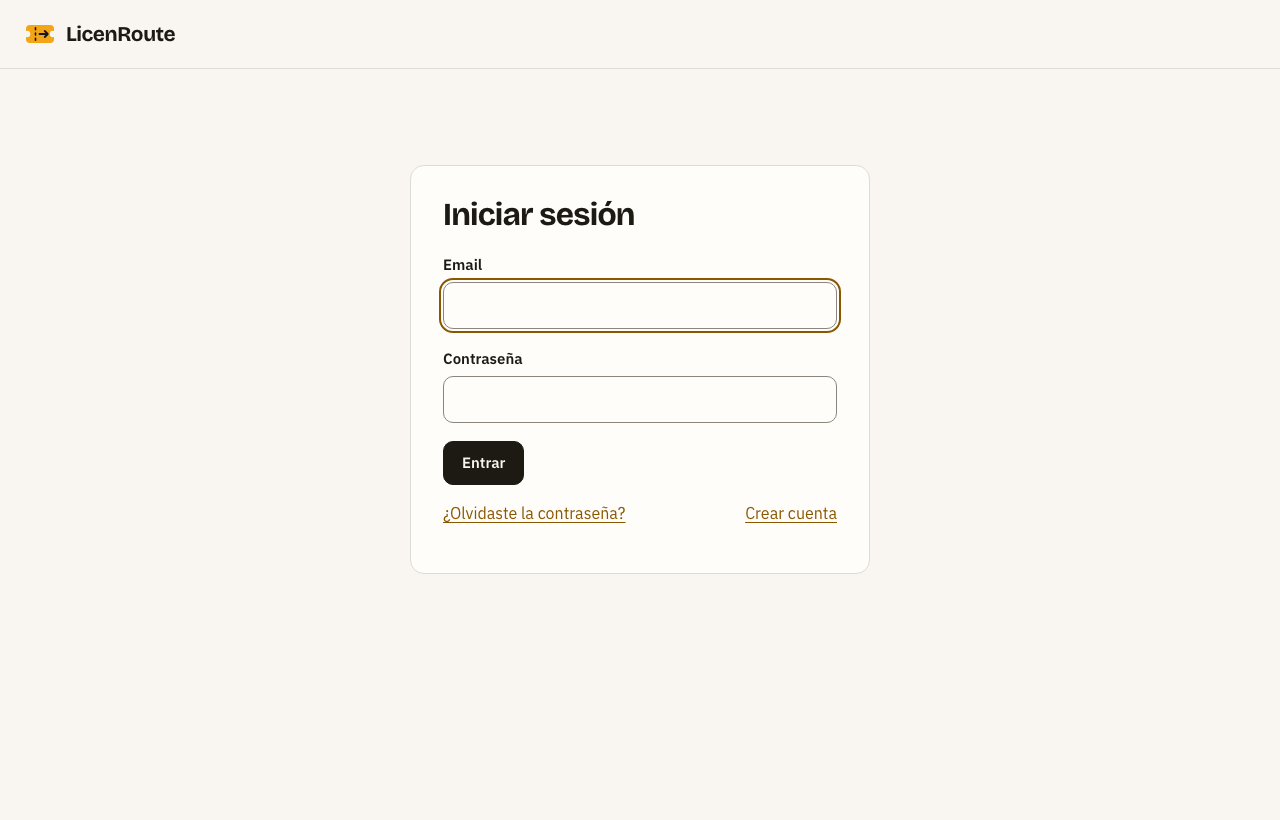
Sign in with your email and password; the panel opens on your organisation's Summary.
- Open the panel and enter your email and password.
- The Summary shows how many sites, active API keys and members your organisation has, and the first three steps.
- Use the top menu to move around.
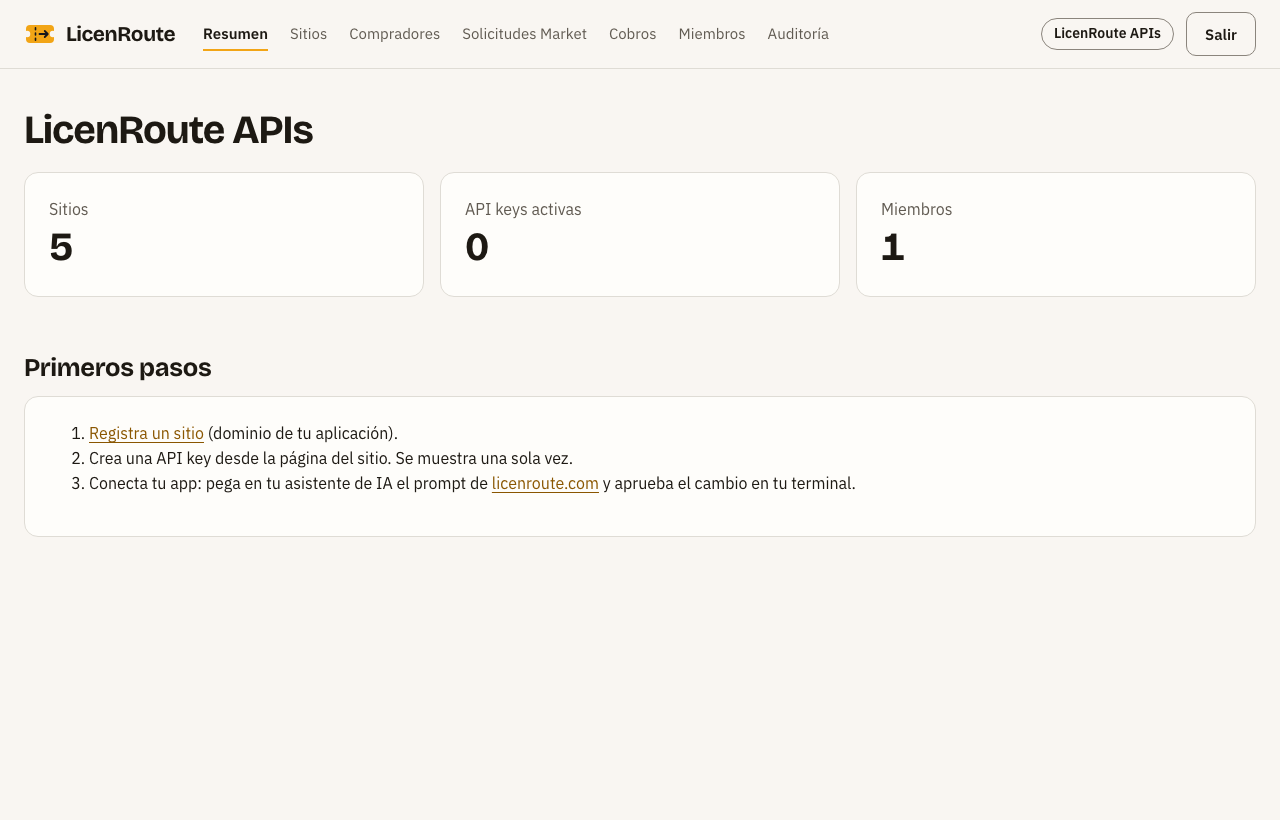
| Menu | What it is for |
|---|---|
| Resumen (Summary) | Organisation figures and first steps |
| Sitios (Sites) | Your APIs: domain, keys, plans and Market listings |
| Compradores (Buyers) | Who holds your licences and their usage |
| Solicitudes Market (Market requests) | Access requests to plans that need your approval |
| Cobros (Payments) | Your connected Stripe account |
| Miembros (Members) | Your team and their role (owner, admin, viewer) |
| Auditoría (Audit) | Log of every important change (admins and owner only) |
The button with your organisation's name, top right, switches organisation if you belong to several.
Registering your API and its plans
Each API is a site with its domain; inside the site you define the plans you sell: which routes charge, at what price and with how much quota.
The site
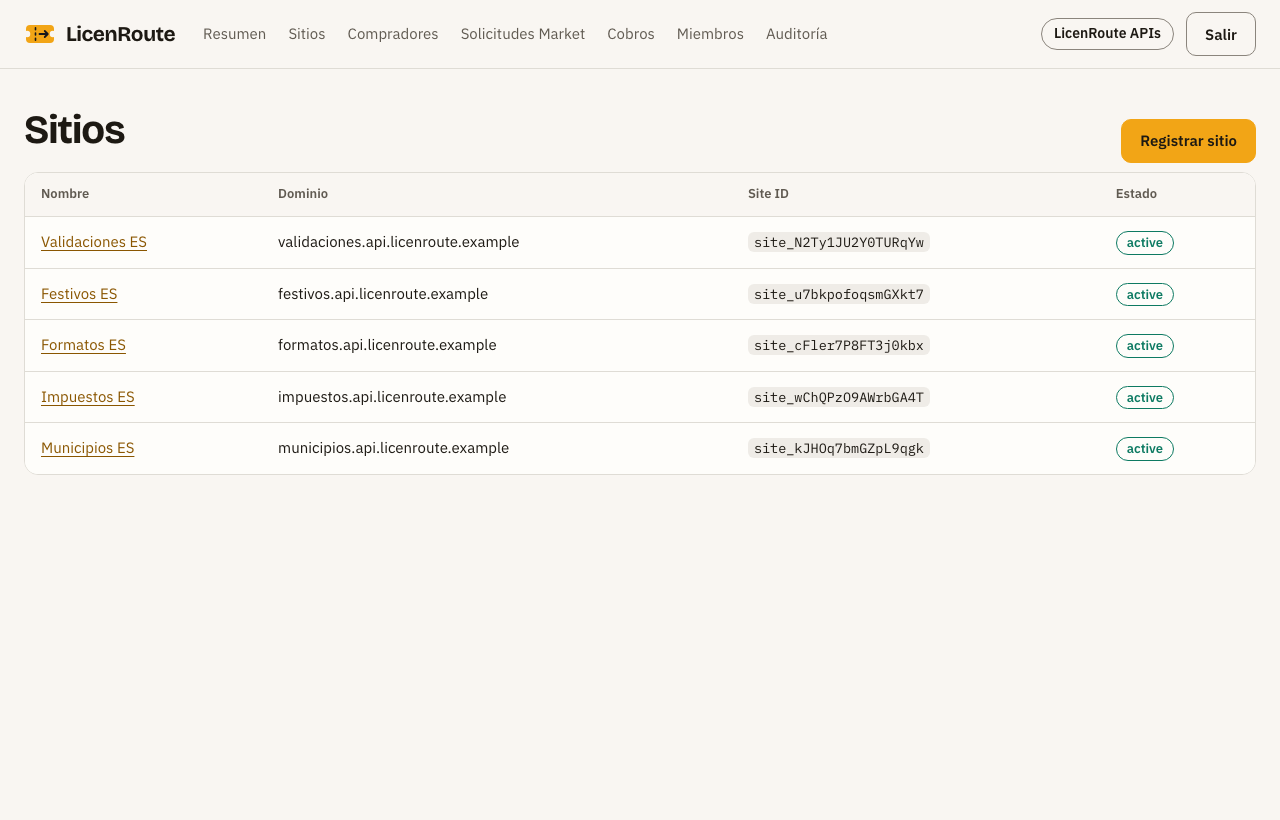
- Go to Sitios and press Nuevo sitio: name, your API's domain and the consent.
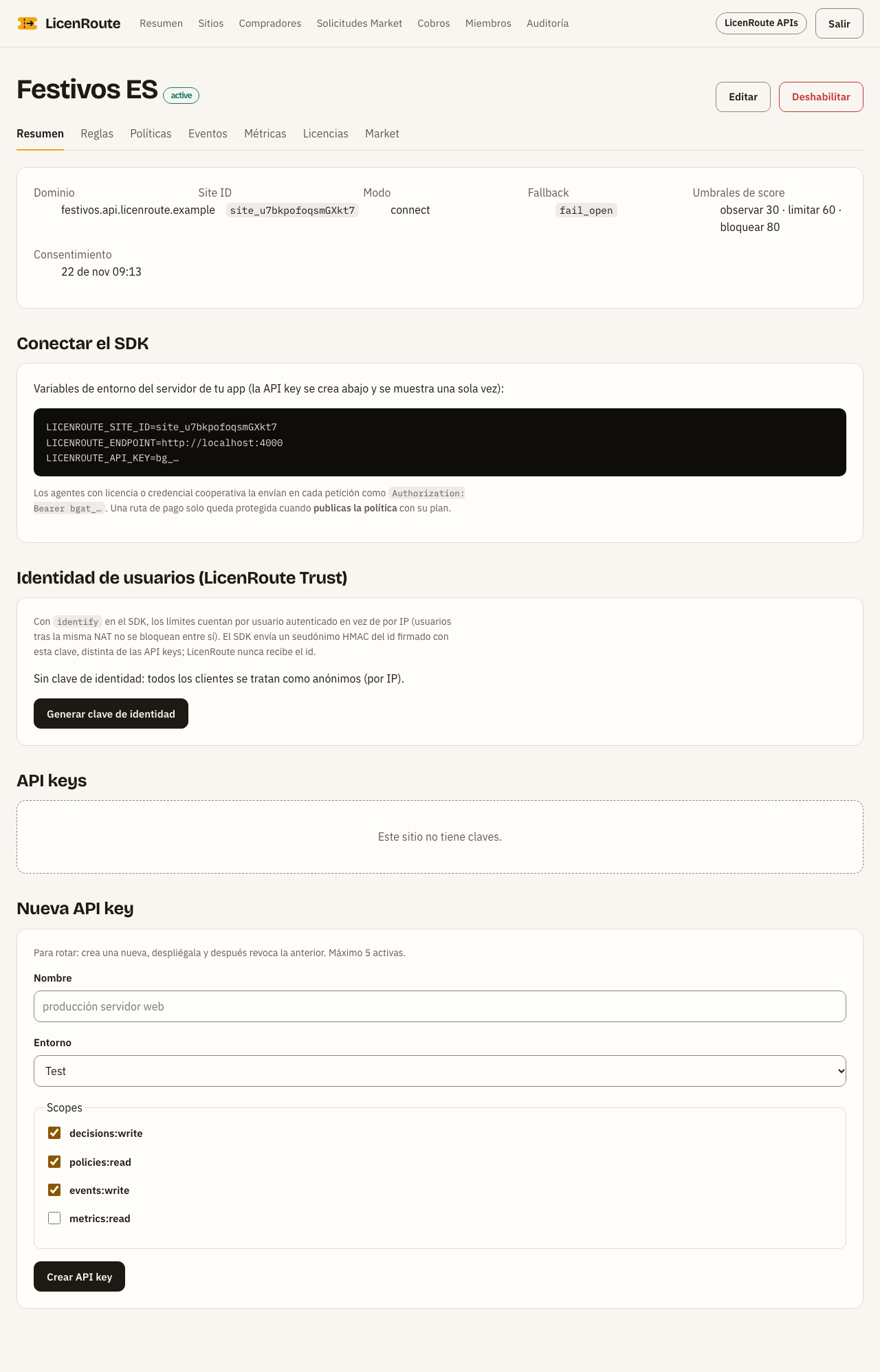
- On the site page, create an API key (shown only once) and copy the three environment variables to your server.
- Usually your AI assistant makes the connection with the prompt from licenroute.com; you only approve the change in your terminal.
The plans
The site's Licencias tab lists its plans; press Editar on one or create another.
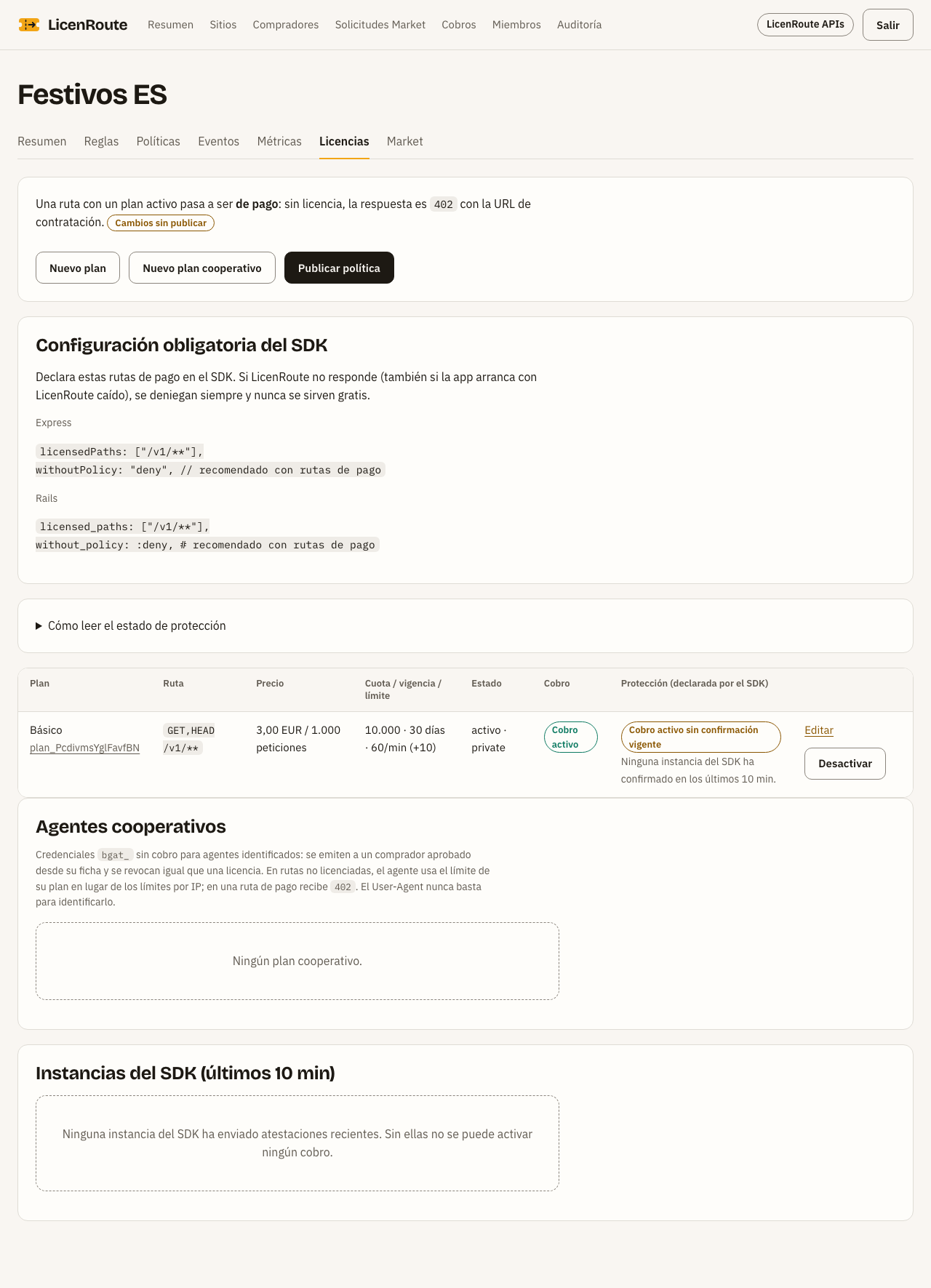
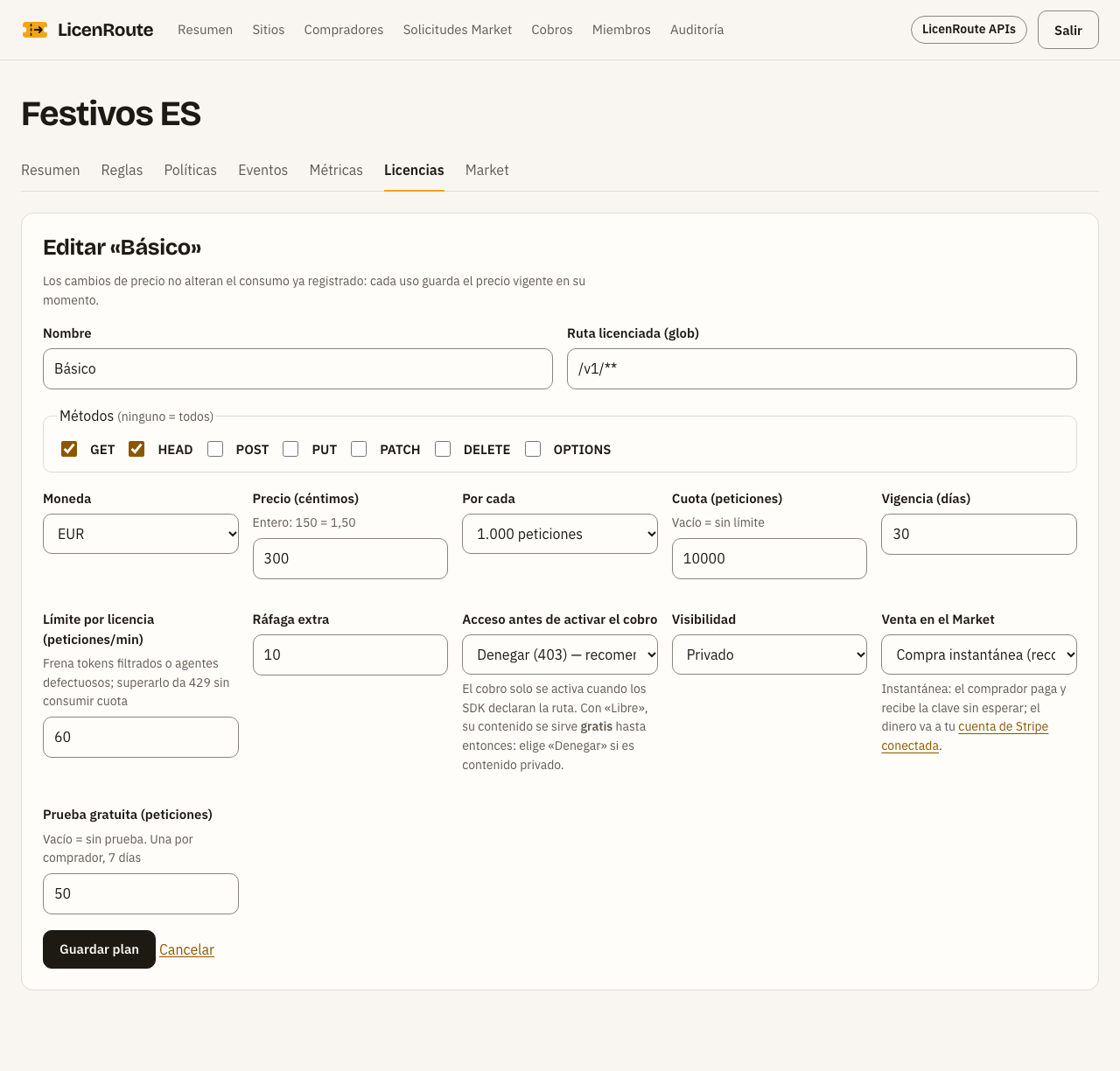
| Field | Meaning | Example |
|---|---|---|
| Licensed route | Which routes the plan charges (glob) | /v1/** |
| Methods | Which HTTP methods it charges; GET and HEAD share quota | GET, HEAD |
| Price and Per | Price in cents per request or per 1,000 | 300 per 1,000 = €3.00 |
| Quota | Requests bought at once | 10,000 (= €30.00) |
| Validity | Days each licence lasts | 30 |
| Limit per licence | Requests per minute; stops leaked keys | 60 |
| Sale in the Market | Instant purchase: buyers pay and get the key at once. With my approval: they ask and you decide | Instant purchase |
| Free trial | Free requests, once per buyer and plan, for 7 days | 50 |
The price buyers see is computed: quota × price. It is never typed by hand.
Getting paid in your Stripe account
Sales are charged in your own Stripe account: the money goes straight to you, and LicenRoute never receives or holds it.
In the pilot this step is not open yet: connecting Stripe and buying arrive after the security review. Until then buyers can try your APIs for free.
- Go to Cobros and press Conectar mi cuenta de Stripe. Only the organisation's owner can do it.
- Stripe asks for your details and your bank's. If you stop halfway, come back and press Continuar en Stripe.
- On your return the panel asks Stripe and shows the status. With lista para cobrar (ready to charge), your instant-purchase plans show the Comprar (Buy) button in the Market.
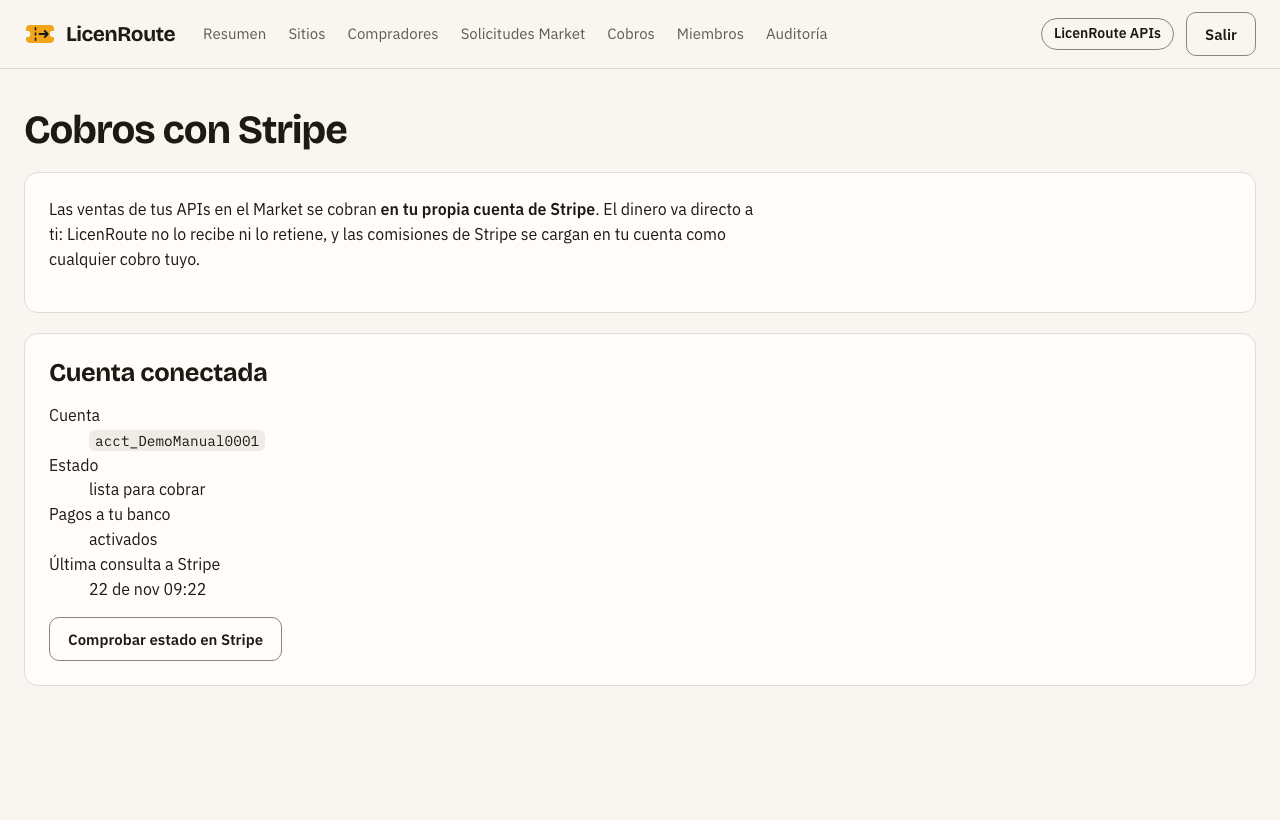
| Status | Meaning |
|---|---|
| No connected account | Your plans cannot be bought directly; buyers can only request access |
| Onboarding not finished | Stripe still needs details |
| Submitted; Stripe is reviewing it | Stripe does not allow charges yet |
| Ready to charge | Sales are charged in your account |
Stripe's fees are charged to your account like any other payment of yours. Comprobar estado en Stripe checks the status again whenever you want.
Publishing your API in the Market
The listing is what buyers see: only what you write in it, the domain and the plans you choose. It never shows your routes, limits, keys or policies.
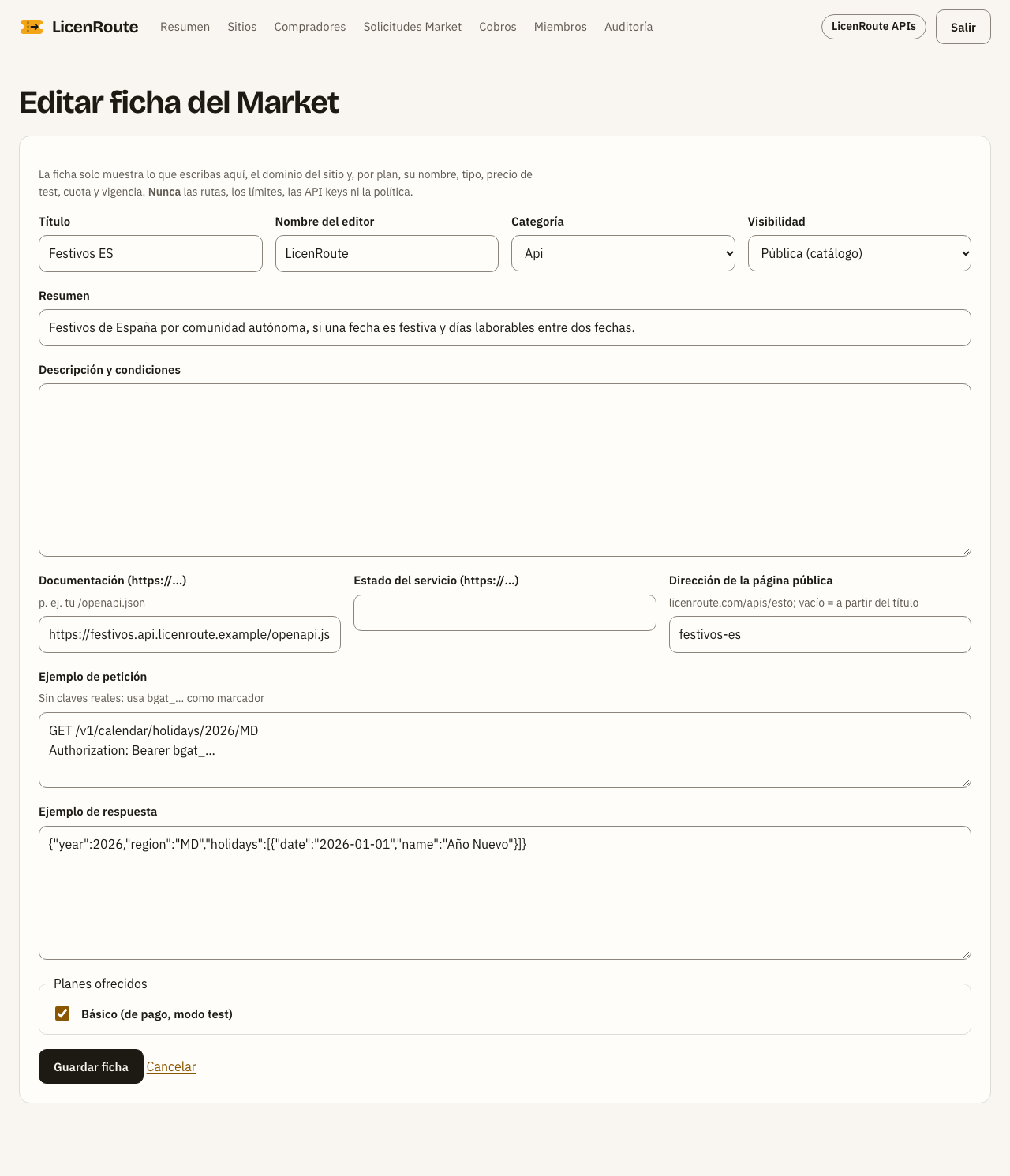
- On the site, open the Market tab and press Nueva ficha.
- Fill in title, publisher, category, summary and description.
- Add the documentation (for example your
/openapi.json), the service status if you have one, and an example request and response. - Tick the plans you offer and choose the visibility.
- Save. With Pública visibility the listing appears in the catalogue.
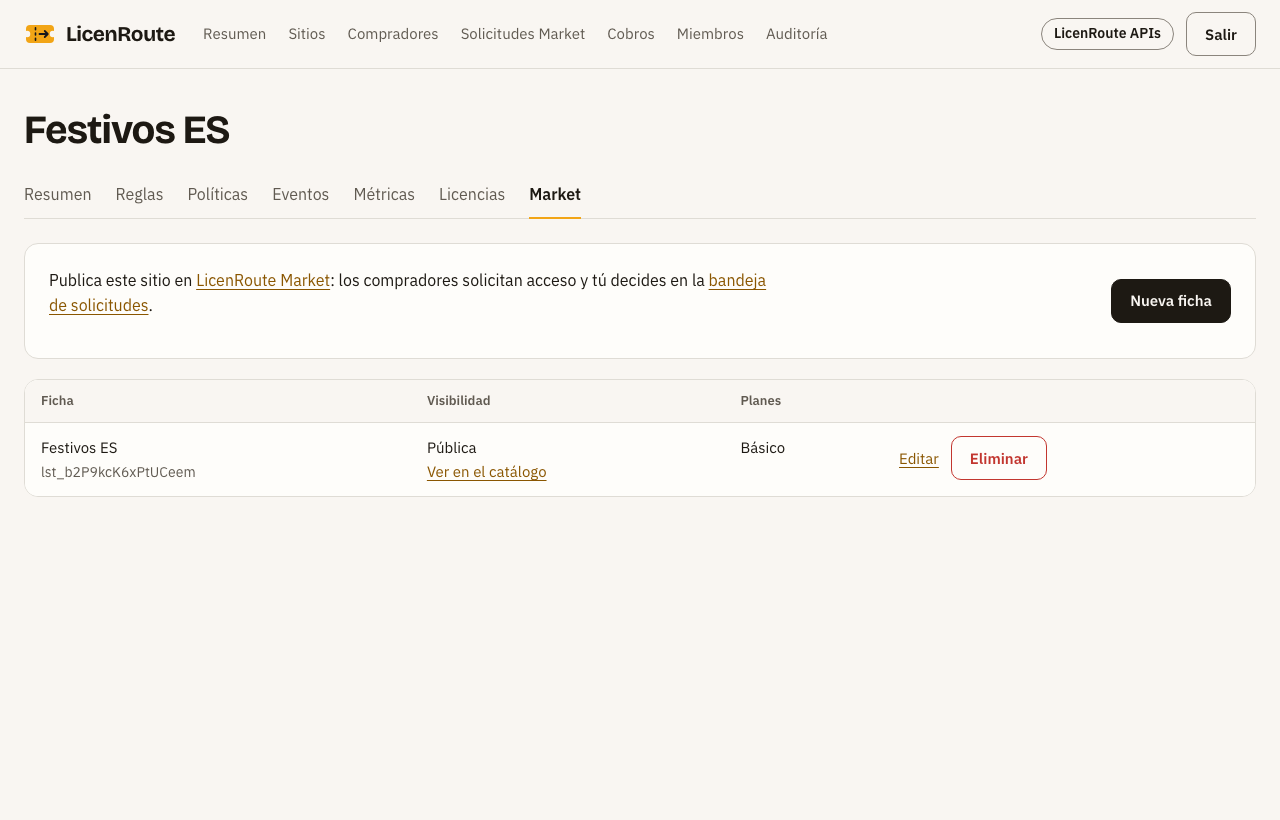
| Visibility | Who sees it |
|---|---|
| Hidden | Nobody |
| Link only | Whoever has the private link (it can be regenerated) |
| Public | Anyone: the catalogue, catalog.json and licenroute.com/apis |
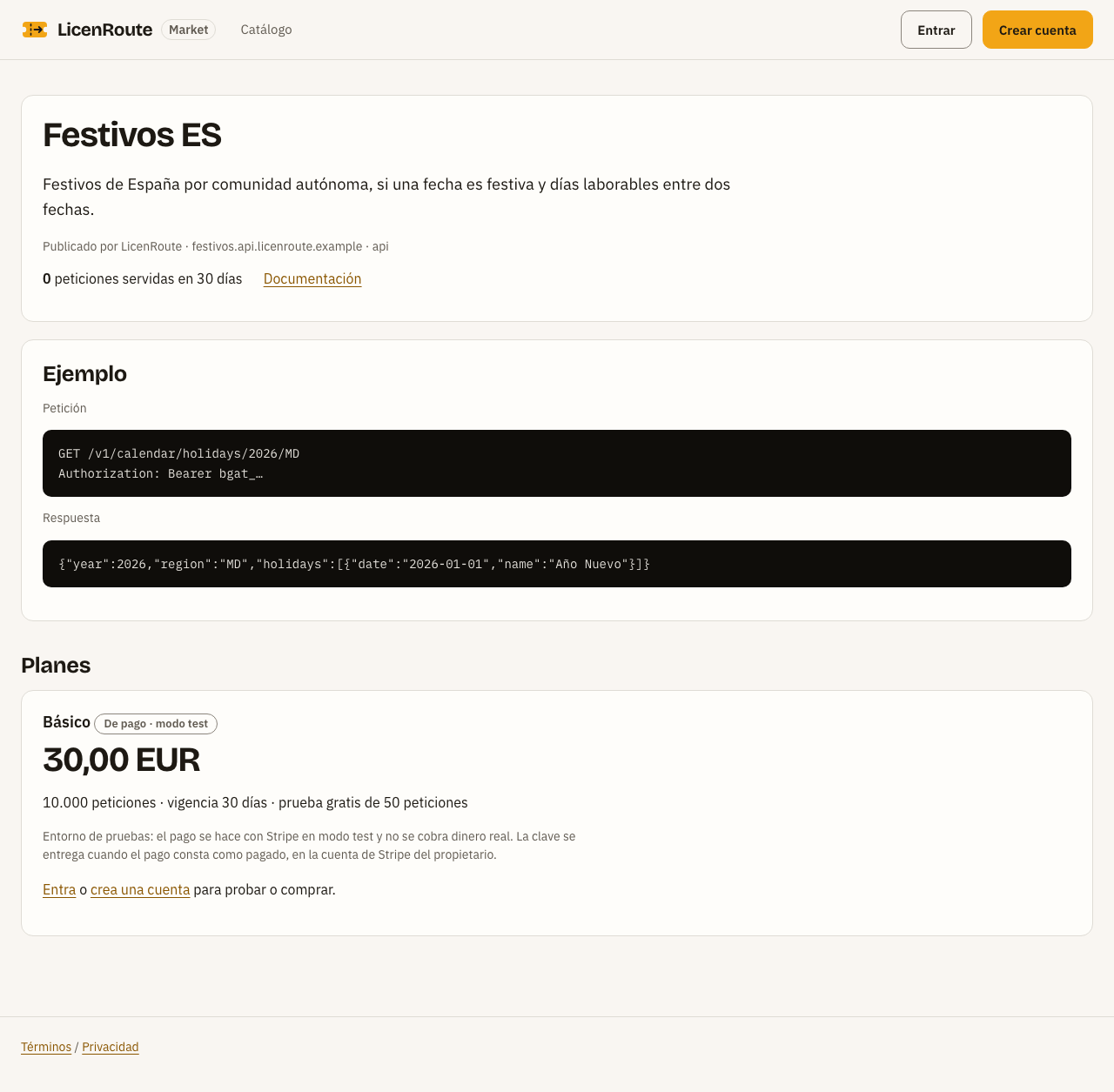
In the example write bgat_… instead of a key: listings refuse keys with a real format. The public page address (for example festivos-es) comes from the title if you leave it empty. The listing also shows the requests served in the last 30 days, from real usage.
Serving your buyers
With instant purchase you do nothing: the buyer pays and gets the key. You only step in for plans with your approval, or to review or cut off access.
Market requests
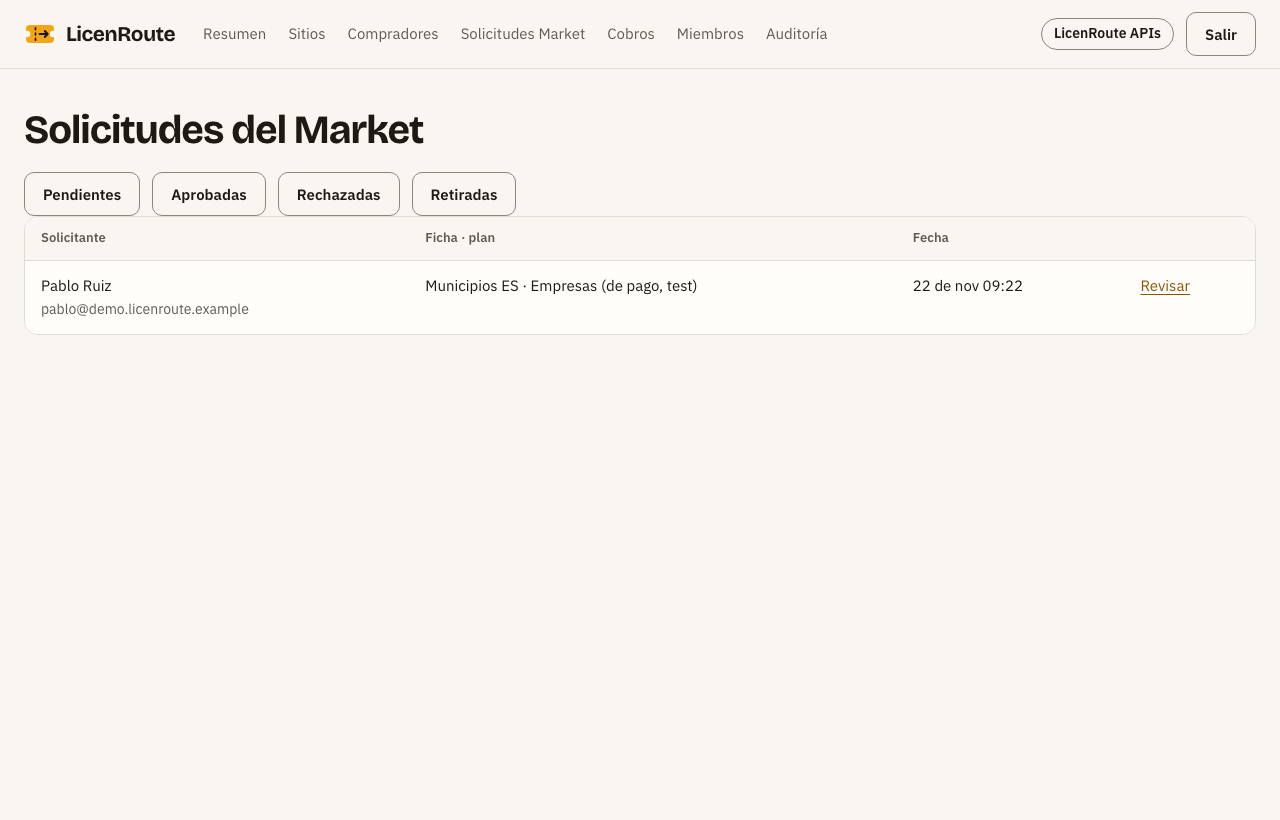
- Open Solicitudes Market: pending requests first; filter by approved, rejected or withdrawn.
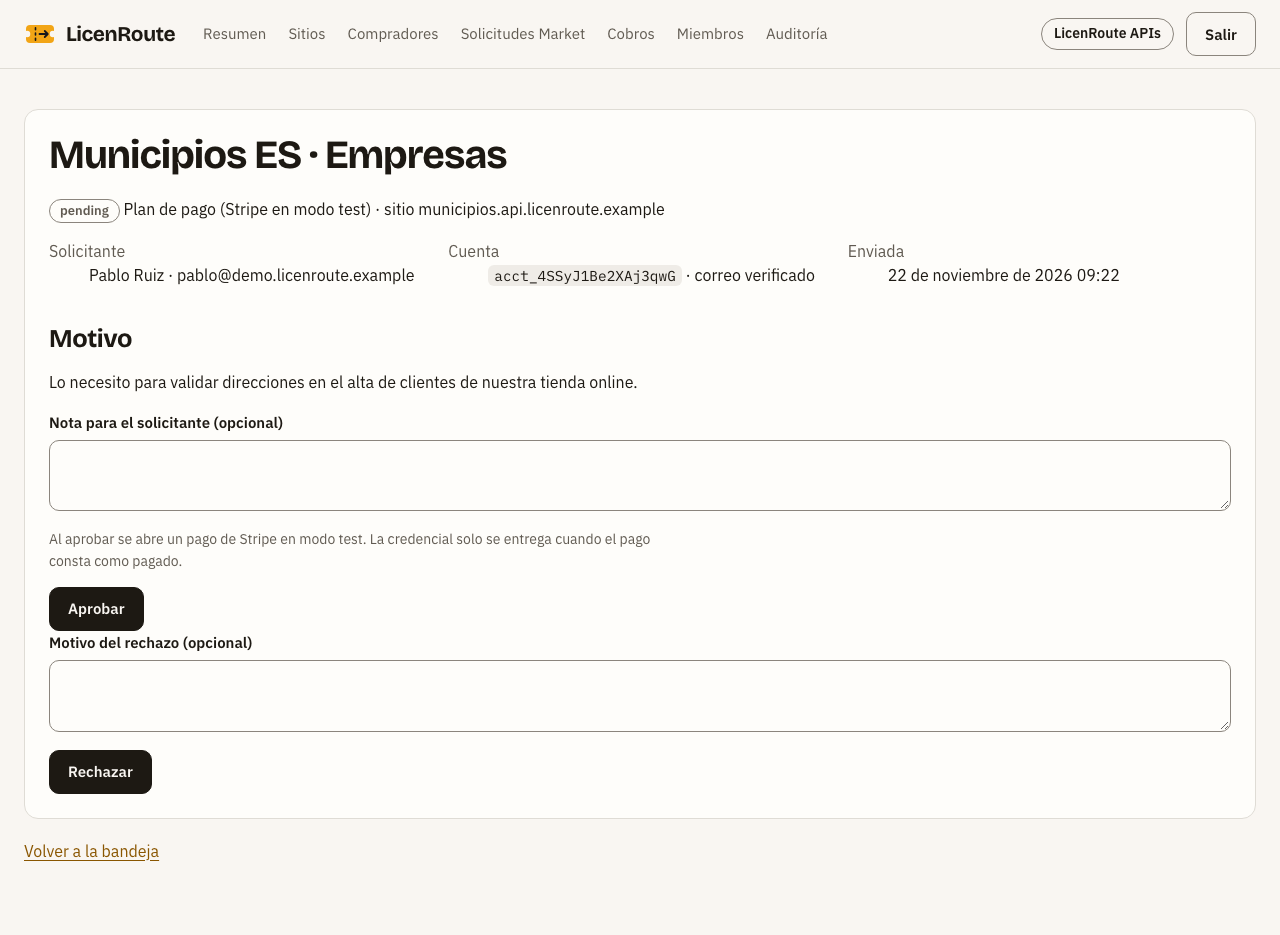
- Press Revisar to see who is asking, whether they verified their email, and why.
- Aprobar opens a Stripe payment for the buyer; the key is delivered only once the payment shows as paid. Rechazar closes the request. Either way you can leave a note, and the buyer gets an email.
Buyers and licences
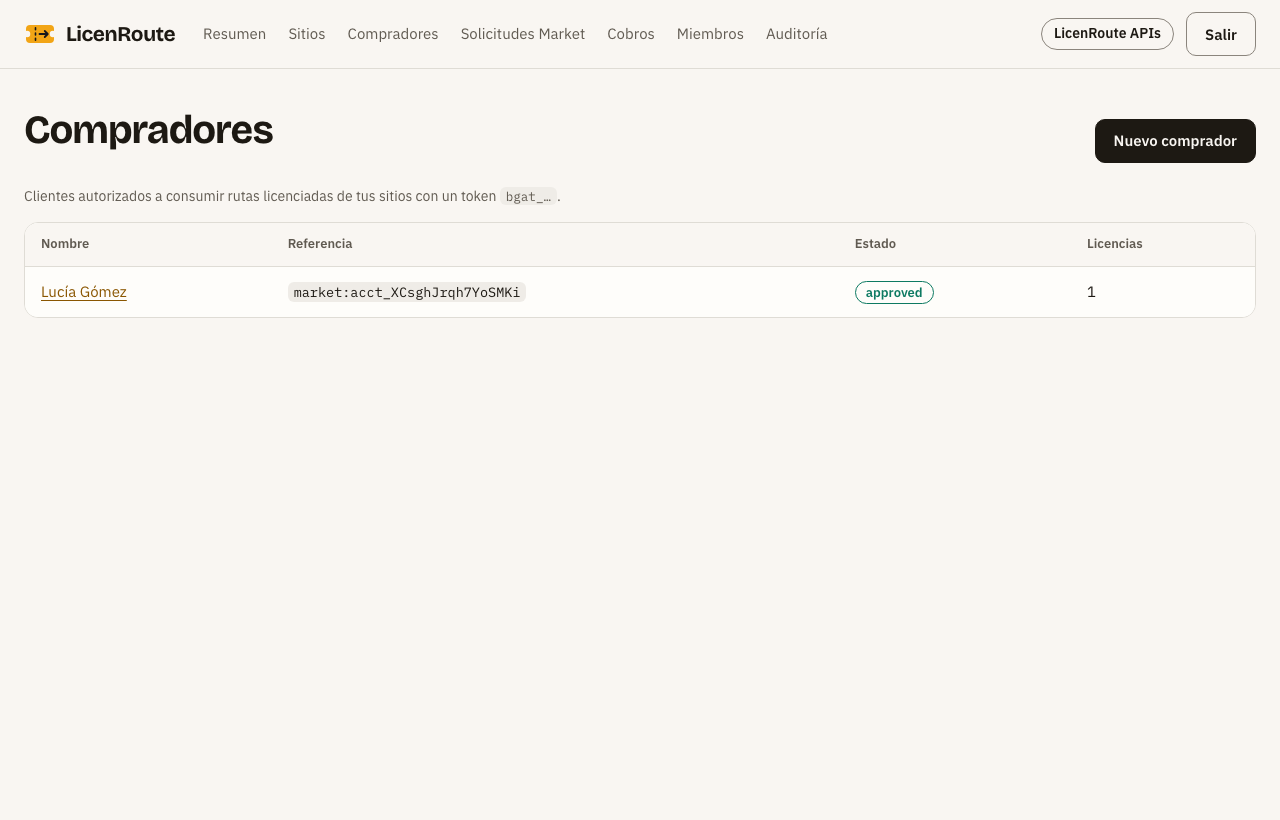
Compradores lists everyone holding your licences, paid or trial. Open one to see their licences, the usage of each and the button to revoke them. A revoked licence stops working at once, without redeploying your API. A suspended buyer cannot buy or try your APIs, and is not told why.
Buyer's guide
In the Market you find an API, try it for free and buy it in a minute. The key you get is sent with every request as Authorization: Bearer bgat_….
Finding an API
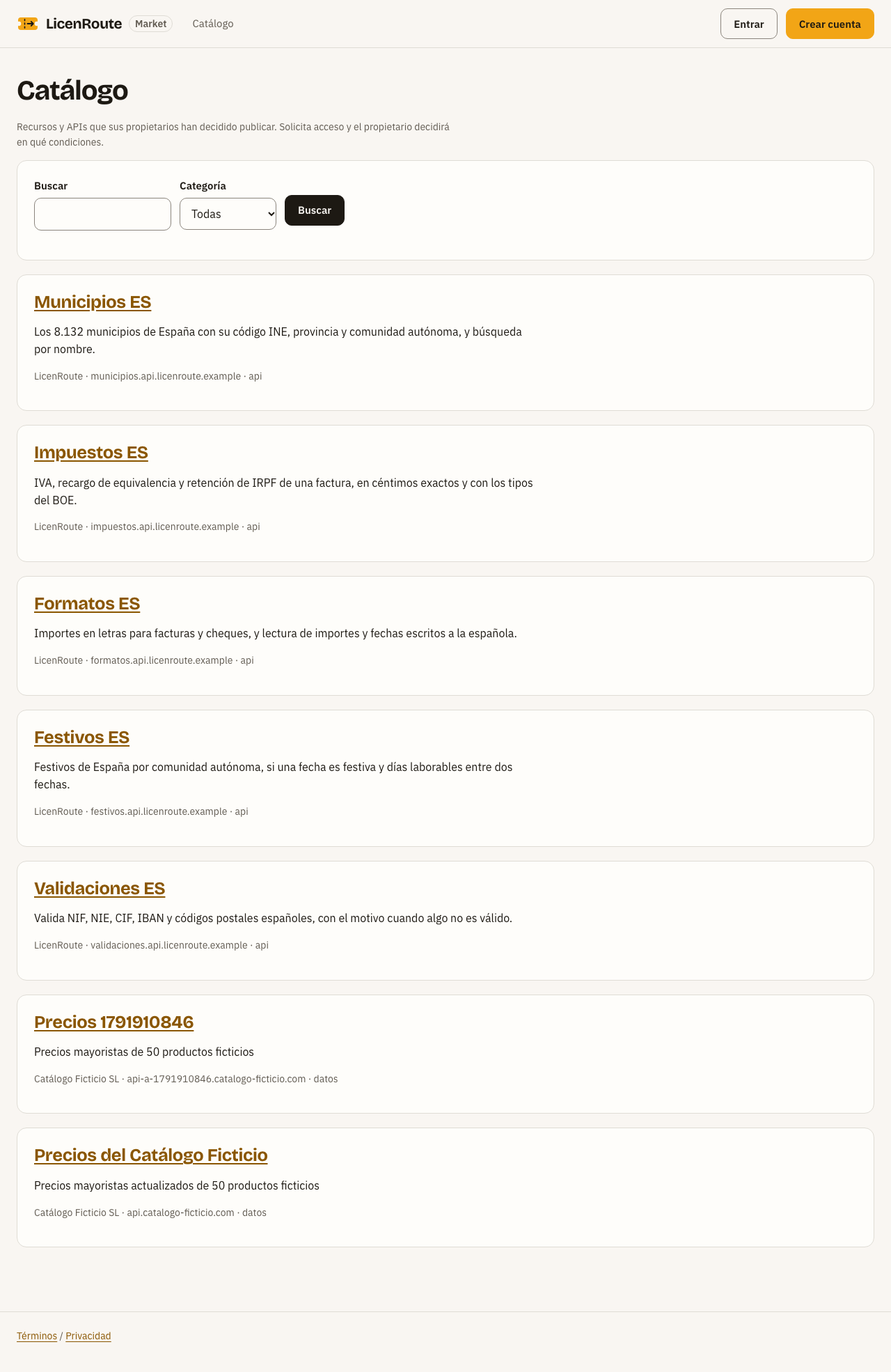
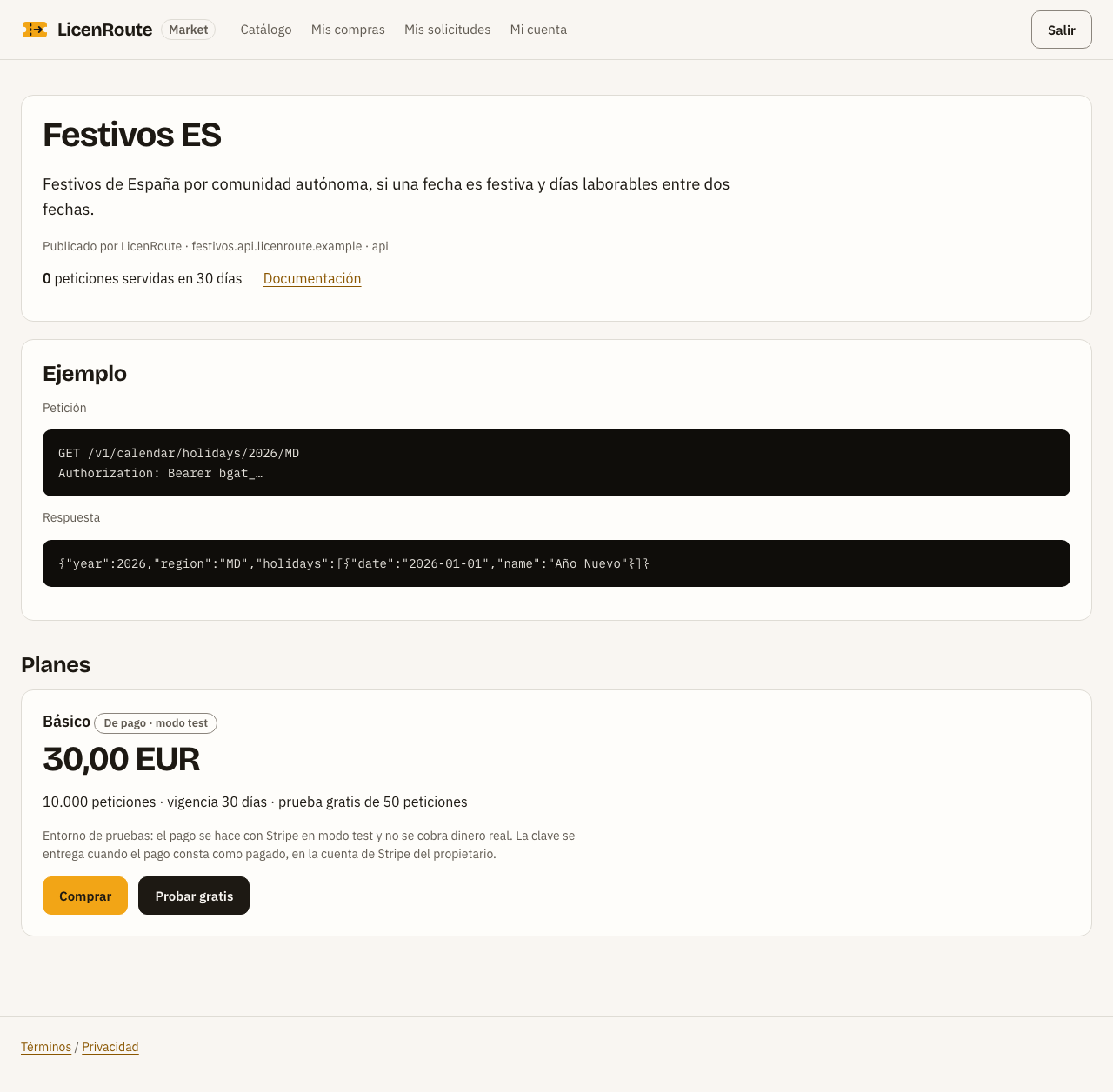
The Catálogo lists public APIs, with search and a category filter. A listing shows what the API does, an example request and response, its documentation, the requests served in 30 days and its plans with the final price.
Creating your account
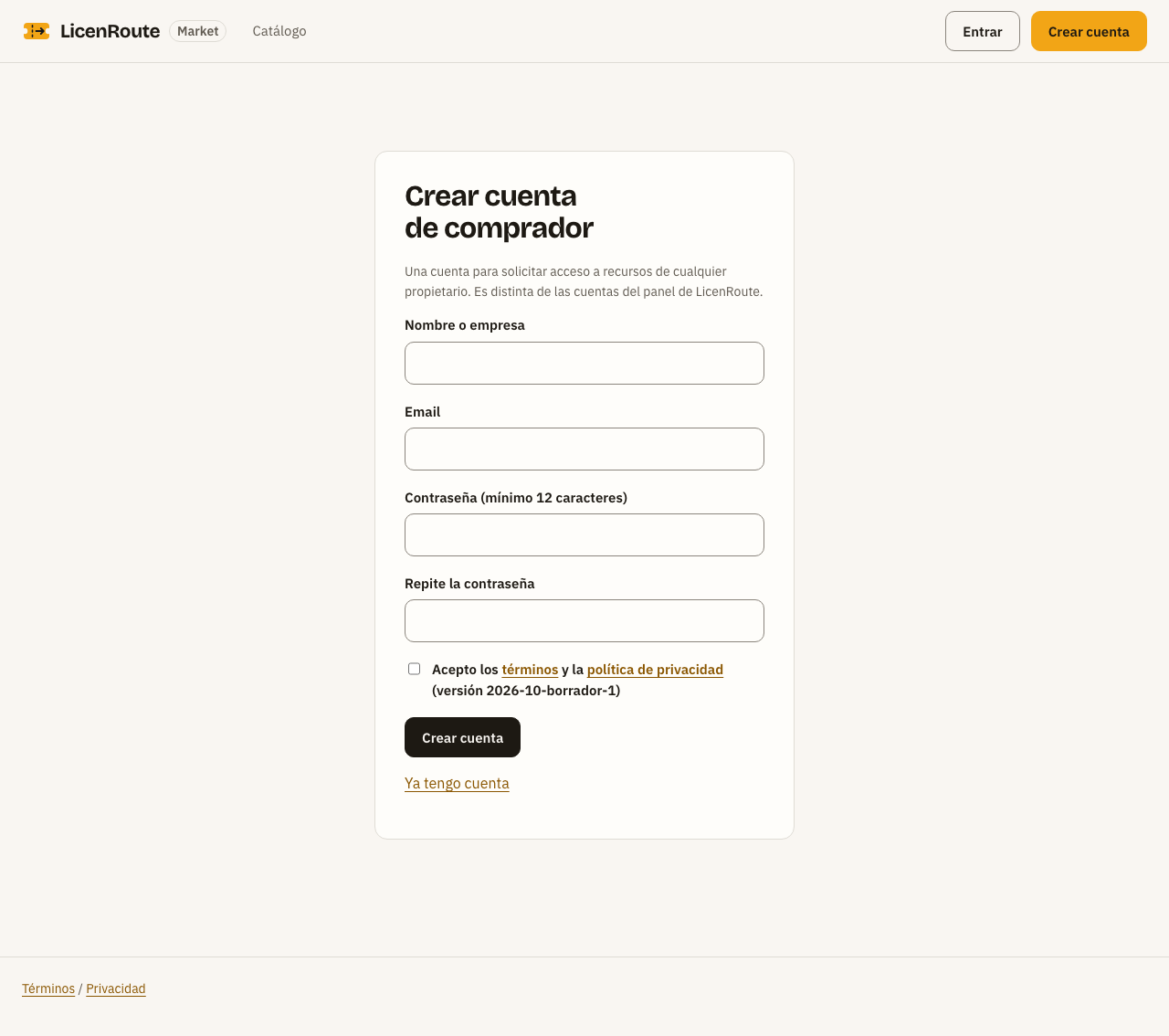
- Press Crear cuenta: name, email, a password of 12 characters or more, and accept the terms.
- Open the link in the email to verify the account. Unverified accounts cannot try, buy or request access.
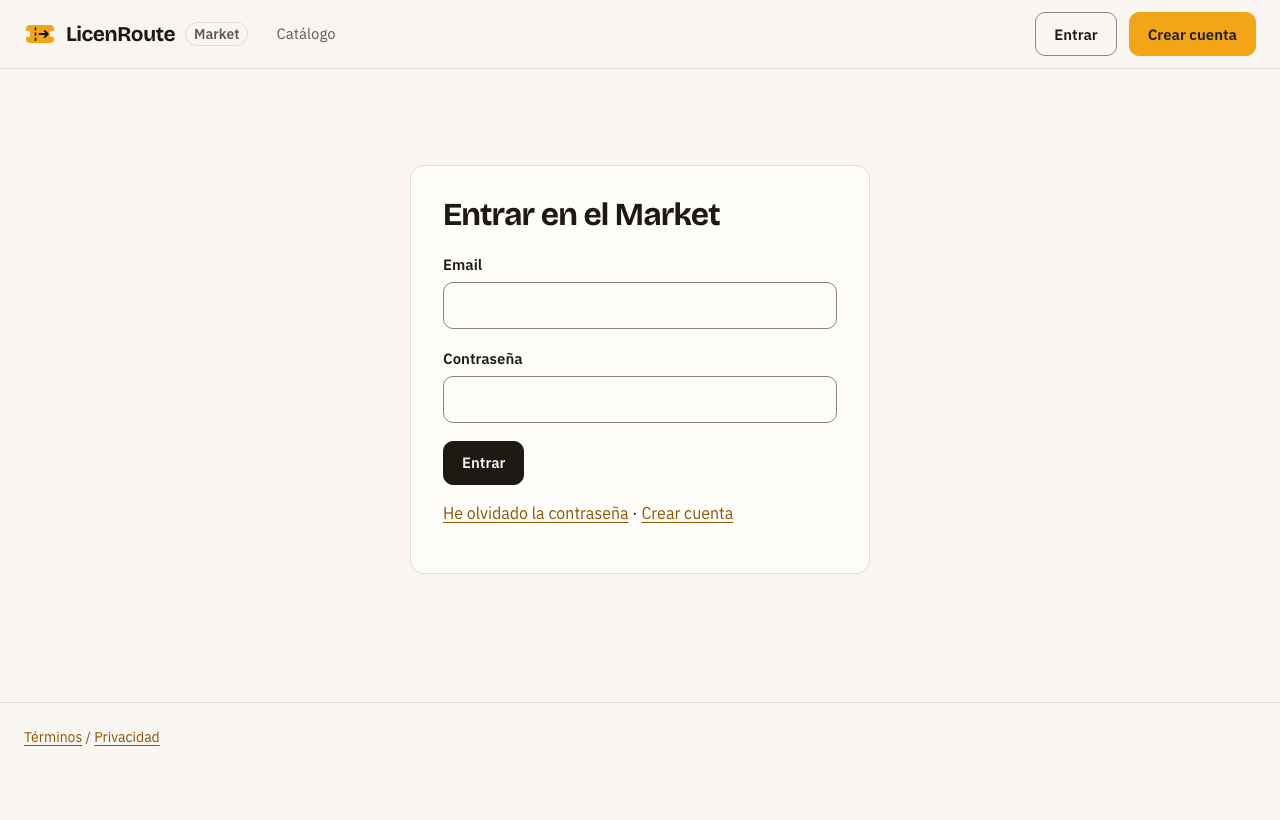
- Sign in with your email and password.
Free trial and purchase
Once signed in, each plan on the listing shows its buttons:
| Button | What happens |
|---|---|
| Probar gratis (Try for free) | You get a key at once with the trial quota (for example 50 requests for 7 days). One trial per plan, up to 3 a day |
| Comprar (Buy) | Not available yet in the pilot. When it is, you will go to Stripe's payment page and come back to a page that hands you the key once |
| Solicitar acceso (Request access) | For plans with approval: you explain what you need it for and the owner decides. If approved, you pay and get the key |
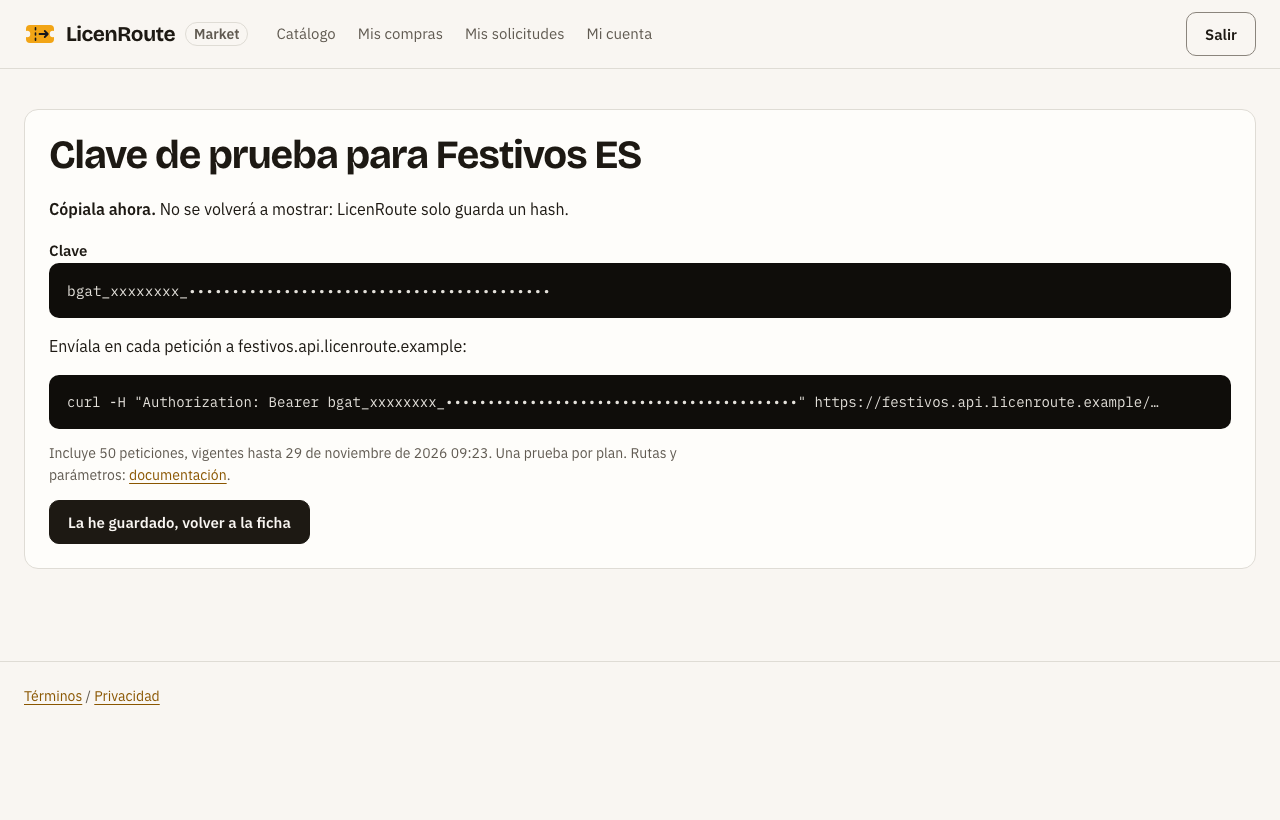
Copy the key as soon as you see it: it is not shown again, because LicenRoute only stores a hash of it. If you lose it, the owner can revoke it and you get another one.
Your purchases, trials and requests
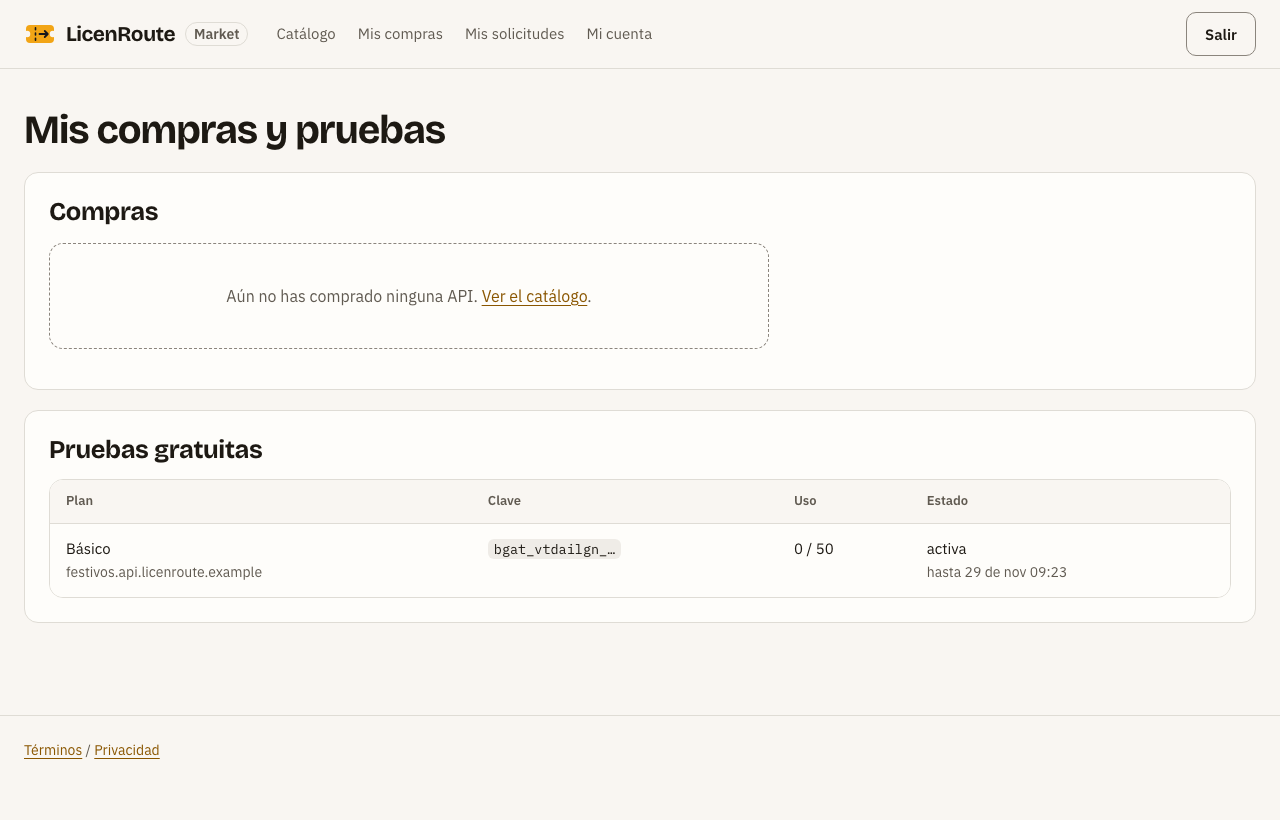
Mis compras shows each payment with its status (pending, paid, refunded…) and each trial with its usage. Mis solicitudes shows your access requests and the owner's decision. In Mi cuenta you change your details, download your data or delete the account.
For AI agents
AI assistants can find and recommend Market APIs in two ways. Neither pays anything: the agent suggests and a person decides.
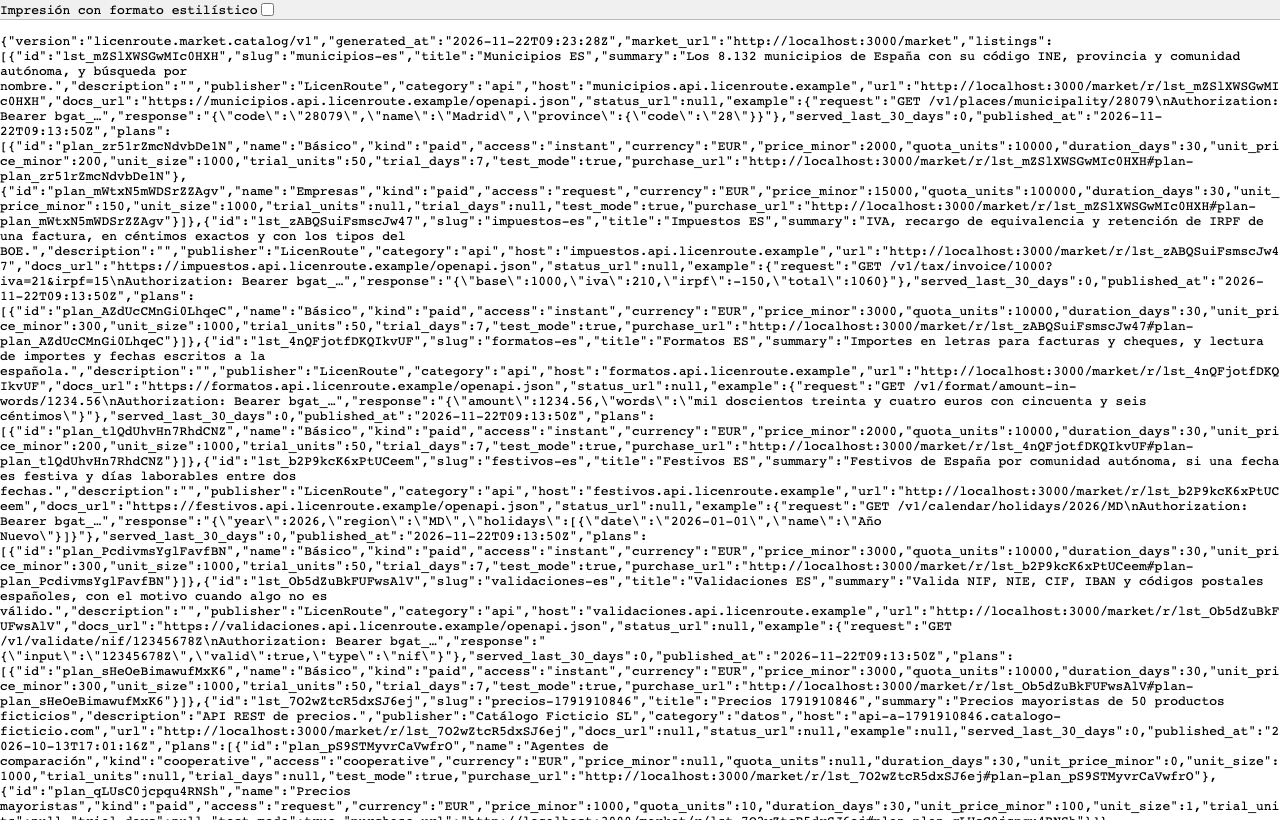
1. The catalogue as JSON. GET /market/catalog.json returns the public listings with their plans, prices, quotas and trials, in the licenroute.market.catalog/v1 format. It has no internal routes, limits or keys.
2. The MCP server. packages/market-mcp has no dependencies and offers three tools:
| Tool | What it returns |
|---|---|
search_apis | APIs that match what you ask for ("spanish holidays", "validate NIF"), with the lowest price |
get_api | Everything about one API: description, example, real usage and plans |
request_purchase | The link where a person starts the trial or buys |
To connect it in Claude Code:
claude mcp add licenroute-market -e LICENROUTE_MARKET_URL=https://<your-market>/market -- node <path>/packages/market-mcp/bin/licenroute-market-mcp.mjs
In Cursor, add the same to .cursor/mcp.json; the package README has the example.
Questions and current limits
Is real money charged? No. In the pilot you can try APIs for free; buying stays closed until the security review, and payments will start in Stripe test mode.
Can I use it with real customers now? In a pilot: the panel issues real licences and enforces quotas, and buyers can try APIs for free. Charging real money comes after the security review.
What if LicenRoute does not answer? Your API's paid routes return 503 until it is back; public routes keep working.
I lost my key. It cannot be recovered: only a hash is stored. Ask the owner to revoke it and get another one.
What does a paid route answer? No key: 402 with the plan and the purchase link. Valid key: 200. Invented or revoked key: 403. Quota used up: 402.
Which technologies are supported? Node.js APIs with Express 4 or 5. For other frameworks, tell us on licenroute.com.